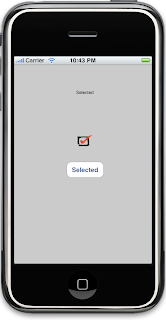
I was disappointed to discover the iPhone SDK did not include a Checkbox component. Yes, I know there is the UISwitch component. But sometimes that is just to big and does not look right for your design.
After googling, I could not find a checkbox component that somebody else had made or a good tutorial. So below are the steps I did to create a simple checkbox.
I began by adding a UIButton to my view and setting its Type to custom and its background to my unchecked png image with transparent background. Then I implemented the auto generated viewDidLoad method to set my background image if the button state was selected to the checked png image.
- (void)viewDidLoad {
[super viewDidLoad];
[checkButton setBackgroundImage:[UIImage imageNamed:@"checked.png"] forState:UIControlStateSelected];
}
Finally, I attached a changeSeletected method to the button's Touch Up Inside event that changed the selected state of my button.
- (IBAction) changeSelected: (id) sender {
UIButton *button = (UIButton *) sender;
button.selected = !button.selected;
}
I think the final outcome turned out pretty nice.